Imagine arriving at your medical practice on a Tuesday morning. Your first patient is already in the waiting room, and your staff is attempting to log into the Electronic Health Record (EHR) system to review the day's schedule. Instead of the familiar login screen, they are met with a flashing red notification or, worse, a complete system freeze. A cybercriminal has encrypted your data, or a critical server failure has wiped your local database.
You are locked out.
In the world of healthcare, "downtime" is more than a technical inconvenience; it is a direct threat to patient care, clinical reputation, and financial viability. For providers looking for managed IT services in Denver, the question isn't just "are we backed up?" but rather, "how fast can we get back to seeing patients?"
The High Stakes of Healthcare Downtime
When a medical practice loses access to its digital infrastructure, the clock starts ticking immediately. Unlike a retail business that might lose a few sales, a medical practice loses the ability to access allergies, current medications, surgical histories, and diagnostic results.
The consequences of being "locked out" include:
- Patient Safety Risks: Without access to charts, the risk of medical errors increases exponentially.
- HIPAA Non-Compliance: If a lockout is due to a breach, the clock on HIPAA notification requirements begins. Furthermore, if your practice cannot provide patients with their records upon request due to a lack of a recovery plan, you may face regulatory scrutiny.
- Revenue Loss: If you cannot see patients, you cannot bill. The overhead of a practice: rent, payroll, and utilities: continues even when the revenue stops.
- Reputational Damage: Patients trust you with their lives and their most sensitive data. A prolonged outage can erode that trust overnight.
Many practices believe that a simple nightly backup to an external drive is enough. However, in modern medicine, traditional backups are often insufficient. To truly protect your practice, you need to understand the difference between simple data storage and a robust Business Continuity and Disaster Recovery (BCDR) strategy.
Understanding RTO and RPO: The Metrics of Recovery
To determine how fast you can recover, you must first define your objectives. In the world of denver it managed services, we focus on two primary metrics: Recovery Time Objective (RTO) and Recovery Point Objective (RPO).
- Recovery Time Objective (RTO): This is the maximum amount of time your practice can afford to be offline before the damage becomes unacceptable. Is it four hours? Eight hours? Two days? For most medical practices, an RTO of more than a few hours results in a complete cancellation of the day's appointments.
- Recovery Point Objective (RPO): This refers to the age of the files that must be recovered from backup storage for normal operations to resume. If your last backup was at 8:00 PM last night and your system crashes at 4:00 PM today, you have lost an entire day’s worth of patient notes and updates. An RPO of 15 to 30 minutes is the gold standard for high-functioning clinics.
If you aren't sure what your current RTO or RPO are, it is time to consult with a managed service provider denver like Comm Tech, MSP Inc. to perform a gap analysis.

BCDR: Beyond the Basic Backup
A basic backup is just a copy of your data. If your server hardware fails, having the data on a thumb drive doesn't help you run your EHR. You still need a functioning server environment to "read" that data.
This is where Business Continuity and Disaster Recovery (BCDR) comes in. A BCDR solution, often provided by managed it support denver specialists, involves an integrated system that not only backs up your data but can also "spin up" a virtual version of your entire server in the cloud or on a local appliance.
If your main server dies, a BCDR solution allows your staff to keep working on a virtualized environment while the hardware is being repaired. This reduces your RTO from days to minutes. For medical practices in Colorado, this level of resilience is no longer a luxury: it is a necessity.
The Threat Landscape: Why Medical Practices are Targets
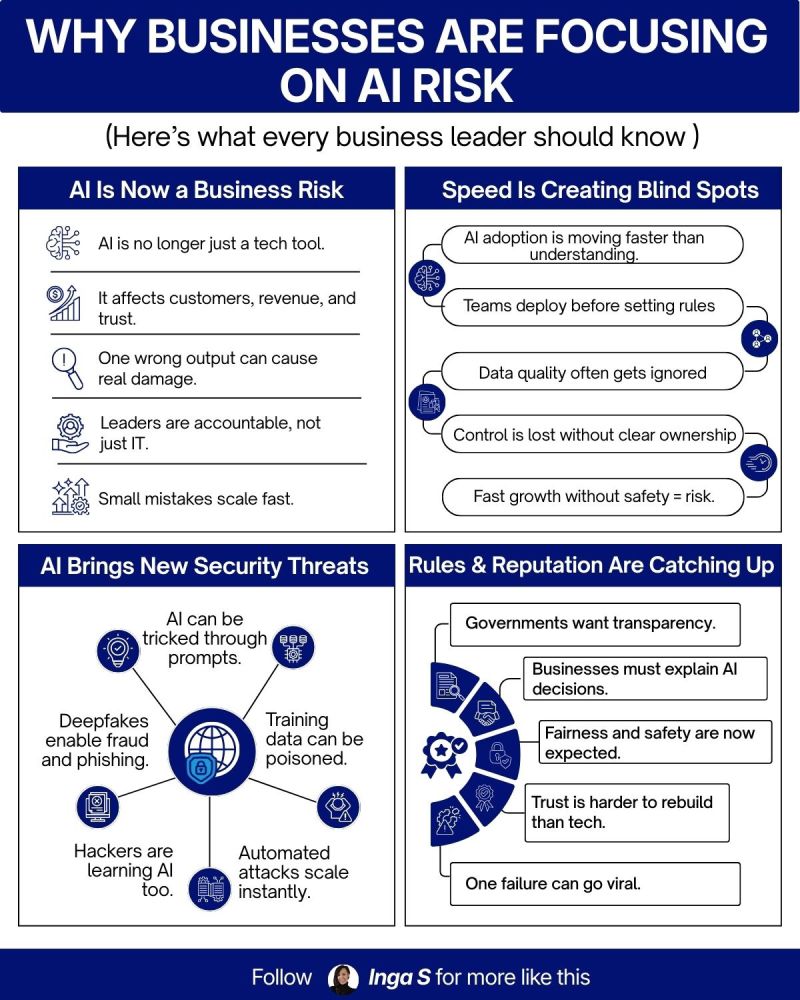
Cybercriminals target medical practices because the data is valuable and the need for access is urgent. Healthcare records fetch a high price on the dark web because they contain a "full kit" of identity theft information: Social Security numbers, addresses, birth dates, and insurance IDs.
Furthermore, attackers know that doctors are under immense pressure to maintain operations. This makes healthcare providers more likely to pay a ransom to regain access quickly. However, relying on a criminal to return your data is a losing bet. According to research on 2025’s biggest data breaches, many organizations that pay the ransom still experience data loss or secondary attacks.
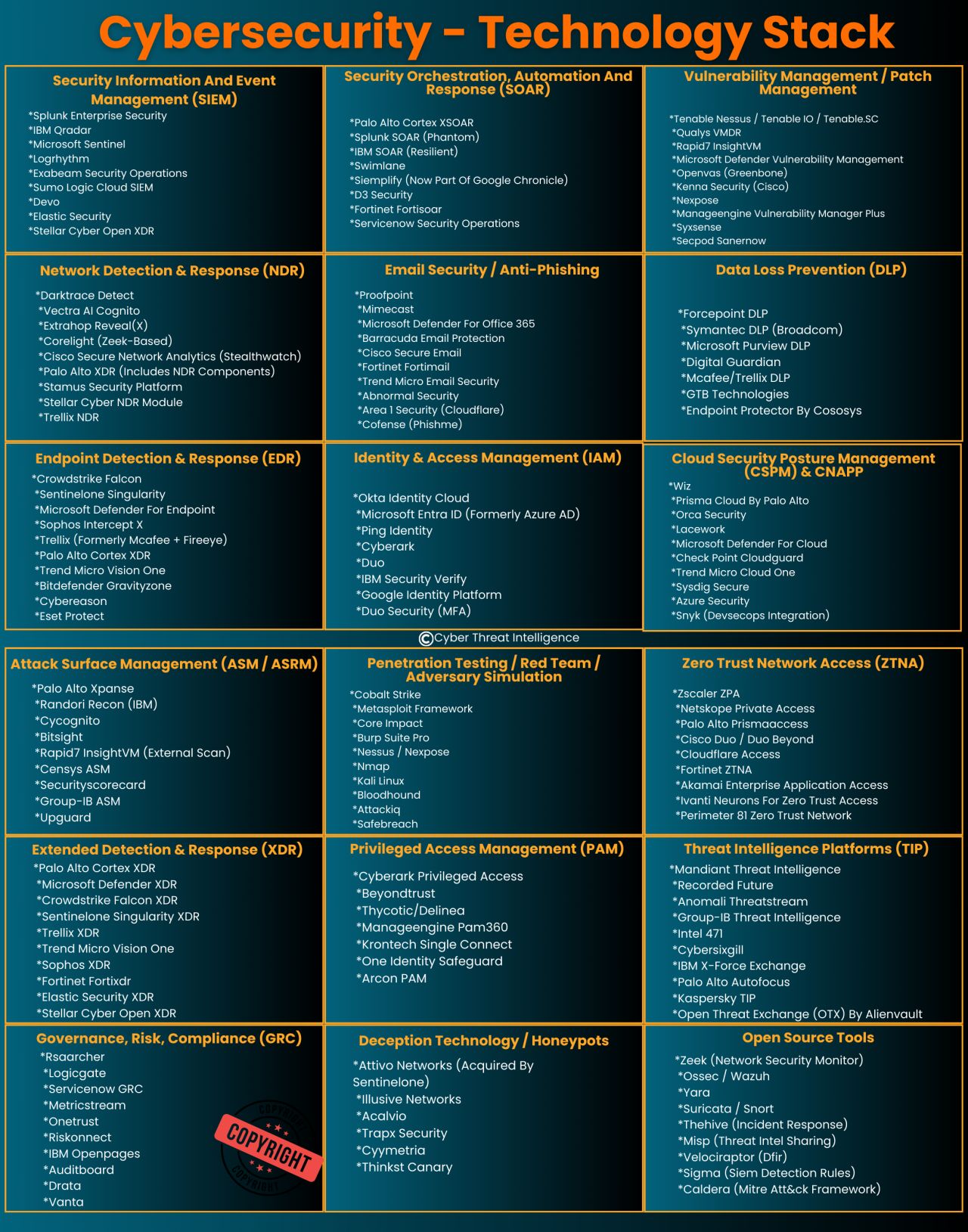
To prevent a lockout, your it managed services denver strategy must include a multi-layered defense. This involves:
- Endpoint Detection and Response (EDR): Monitoring every computer in your office for suspicious behavior.
- Zero Trust Architecture: Ensuring that no user or device is trusted by default, even if they are inside your network. You can learn more about this in our guide to Zero Trust Security.
- Email Security: Filtering out phishing attempts before they reach your front desk staff.
- Employee Training: Ensuring your team knows how to spot a suspicious link.
The Local Advantage: Why an MSP Colorado Partner Matters
When your systems are down, you don't want to be calling a 1-800 number and waiting on hold for a technician in a different time zone. You need local experts who understand the Colorado business landscape and can be on-site if necessary.
As a managed service provider in colorado, Comm Tech, MSP Inc. provides the localized support that national providers often lack. Whether you are a specialized clinic in Cherry Creek or a multi-location practice in Aurora, having managed it denver support means having a partner who can physically reach your office to swap out hardware or troubleshoot network issues that can't be resolved remotely.
Furthermore, a local partner understands the specific compliance needs of Colorado businesses. We provide managed it support for all businesses with a focus on creating a secure, high-uptime environment that meets both federal HIPAA standards and local best practices.
How Fast Can You Recover? A Quick Checklist
If you are unsure of your practice’s readiness, ask yourself these five questions:
- Where is my data? Is it only on a local server, or is there a redundant, encrypted copy in a secure cloud?
- When was the last test? When was the last time someone actually tried to restore a full server from your backups? A backup that hasn't been tested is not a backup.
- Is my EHR cloud-based? Even if your EHR is in the cloud, do you have a backup plan for your local internet connection? If Comcast or Lumen goes down, is your practice "locked out" of the internet?
- Do we have an Incident Response Plan? Does your staff know who to call first? Do you have a manual "paper-based" workflow ready for the first 24 hours of an outage?
- Who is monitoring our security? Are you relying on basic antivirus, or do you have a managed it services in denver team monitoring your network 24/7?
Building a Resilient Future with Comm Tech, MSP Inc.
At Comm Tech, MSP Inc., led by CEO-CIO Christy Elliss, we specialize in helping medical practices eliminate the fear of being "locked out." We understand that your focus should be on patient outcomes, not server uptimes.
Our approach to managed IT services is proactive. We don't just wait for things to break; we build systems designed to stay up, and we implement BCDR solutions that ensure if a disaster does strike, your recovery time is measured in minutes, not days.
Don't wait for a red screen to appear on your office computers to find out your recovery plan is insufficient. Whether you need a full infrastructure overhaul or a more robust cybersecurity strategy, we are here to help.
Ready to secure your practice?
Explore our blogs for more tips on staying secure, or contact us today to schedule a comprehensive BCDR assessment. Let’s make sure that if you’re locked out tomorrow, you have the keys to get back in immediately.